Experiencing a “This account has been suspended” warning on your website can be both confusing and alarming. This message means that your hosting provider has put your site on a temporary hold. The reasons for an account suspension can range from malware infections and spam content, excessive resource usage, unpaid web hosting bills, or policy violations.
It’s a frustrating situation, especially when the message itself doesn’t tell you why or how to fix it. This problem isn’t insurmountable, though. Even if you’re feeling stuck, there are steps you can take to swiftly get back online.
In this blog post, we’ll explain why a host suspends your site and how you can resolve it. Whether your website was compromised by malware or your hosting payment failed, by the end, you’ll have a clear roadmap for getting your website running again.
Bear in mind, it’s crucial to address this issue promptly, especially when it comes to security breaches like malware. Prompt action can help minimize potential damage, downtime and negative impacts on your search engine rankings. So let’s dive in and get your website back on its feet.
Contents:
- Understanding “This account has been suspended” errors
- Common reasons for an account suspension
- How to remove account suspensions
- Why does my web host care if I have malware?
- Impact of a hosting account suspension
- FAQ
Understanding “This account has been suspended” errors
Stumbling upon a “This account has been suspended” message on your website can feel like hitting a brick wall. In some cases, you may encounter the following message when you visit your website or /wp-admin/ login page.
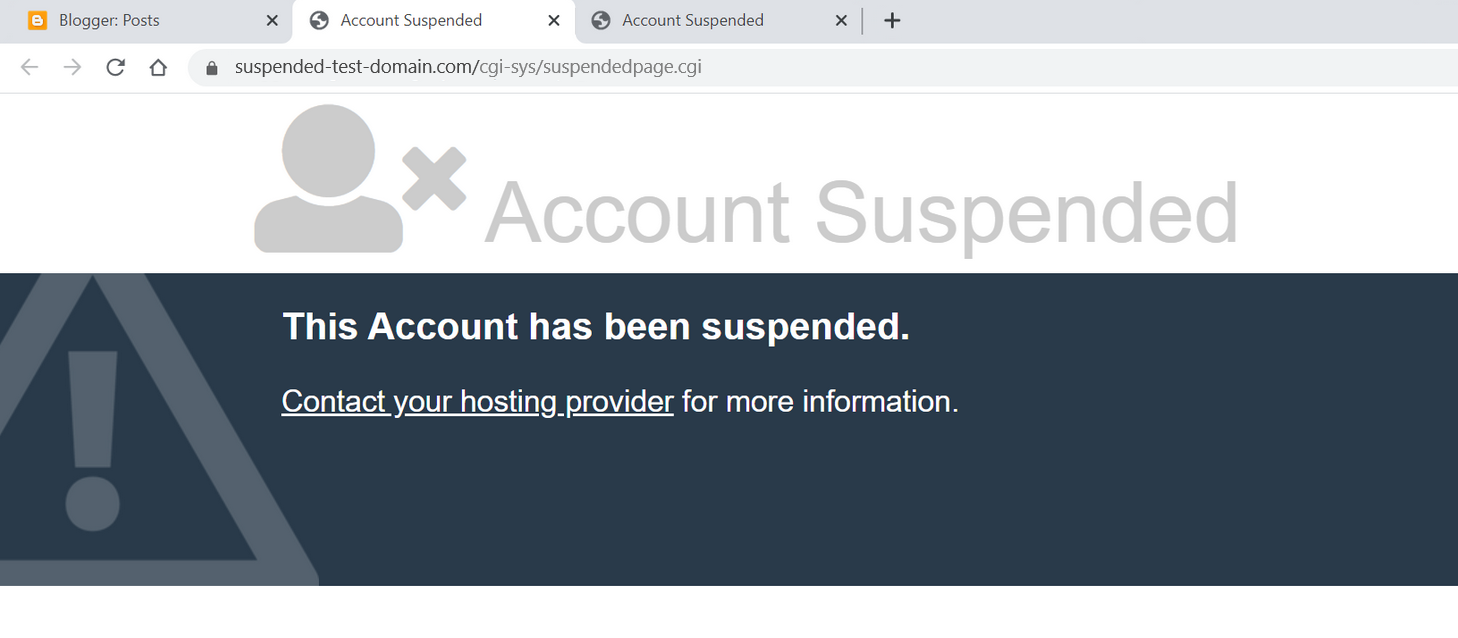
You may also be redirected to an entirely new page containing the following URL path: /cgi-sys/suspendedpage.cgi
These warnings essentially mean that your hosting provider has temporarily removed your site from the web. But what are the reasons for an account suspension? Let’s take a look.
Common reasons for an account suspension
There are a number of reasons a web host may suspend your account, including:
- Malware infection: Malware, harmful software designed to cause damage or steal data, can infiltrate your website in a number of different ways, including cross-site contamination, brute force attacks, and vulnerability exploits. If your hosting provider detects malware on your website, they may suspend your account to stop it from spreading or causing further harm to your visitors.
Some examples of website malware include:
- Unwanted redirects to third party websites
- SEO or pharmaceutical spam
- Malicious JavaScript on your website pages
- Sophisticated, AI-generated phishing scripts
- Server resource overuse: Hosting providers typically set clear boundaries on resource usage, especially those on shared hosting plans. If your website exceeds limitations for server or CPU usage, your host may suspend your account to keep their network running smoothly.
- Payment failures: An unpaid hosting bill will certainly trigger a suspension if you don’t address it in a timely manner. Hosting providers require regular payment to provide their services.
- Terms of service violations: If your website breaches your hosting provider’s Terms of Service or policies — for example, distributing copyrighted or illegal material without permission — they could suspend your account.
It’s important to note that the “This Account Has Been Suspended” notification is intentionally vague to protect your privacy and prevent potential security risks. Depending on your host, you may also receive an email outlining the exact reasons for the account suspension and steps to rectify the situation.
Now that we’ve covered why this error message might occur on your site, let’s dive into what steps to take if your web host has suspended your website.
How to fix “This account has been suspended” due to malware
An account suspension error can be especially tricky to resolve if it’s due to malware. Ultimately, speed is critical in resolving this situation and getting your site back up and running.
There are a few methods you can use to tackle the issue:
- Remove website malware manually
- Remove website malware via a professional service provider
Option 1: Remove website malware manually
There are a number of steps you can take to manually remove malware from your website, but it requires careful execution. Malware cleanup can be a complex task. More than once, we’ve seen well-intentioned website administrators make matters worse in a bid to remove malware.
If you opt for this route, here’s what you need to do.
1. Make a backup of your website and files
This is absolutely essential. Even if your website is infected, a website backup can restore your site if something goes wrong during the manual cleanup or your hosting provider decides to delete your entire site.
Be sure to backup all website files along with your database. WordPress users can check out our guide on how to backup a website with WP-CLI or utilize automated cloud backup solutions provided by your host.
Although infected website files (such as .php and .js files) are unlikely to infect your workstation simply by existing on the hard drive, for security reasons it’s still not a good idea to transfer them to your computer. You’ll probably want to create a compressed archive of the site files (such as a .zip or .tar.gz file) on your hosting server first before transferring them elsewhere.
2. Get a list of infected website files
Request a list of suspicious or infected files from your hosting provider. They will usually provide this list in a malware.txt format similar to the one seen below.

This list will serve as a jump-off point for your malware cleanup operation.
3. Locate and clean up the malware infection
Start by examining the files indicated by your hosting provider. Unfortunately, this may not be the full picture. Malware tends to hide in different corners of your website and your providers’ scanner may not detect everything.
Furthermore, items provided on your host’s list may be entirely malicious files or they might be otherwise legitimate files injected with malicious code — you’ll need to take measures to distinguish between them or you may inadvertently break your website.
Your host will likely have disabled any HTTP access to your site, but you should still be able to access your website files and cleanup the infection via FTP or SSH access. We offer a full guide on how to clean up malware from an infected website. If in doubt, you can reach out to a website security professional like Sucuri for assistance finding and cleaning up the infection.
Hosting providers do not typically disable websites for malware that is contained in the database, although there may be content to clean in there as well (such as malicious administrator users that can be used to reinfect the environment). Once the files are clean and your website is reinstated it will be much easier to check further for this.
4. Reach out to your host to submit a review request
Once you have thoroughly reviewed the malware from your site, contact your hosting provider and let them know that you’ve taken steps to rectify the issue. Once it’s back online, you’ll want to thoroughly scan your website at the client and server level to check for any additional signs of infection.
You can use a free remote website scanner like SiteCheck to check your website pages for signs of any further infection. Simply enter your domain name and run a scan to check for malware.
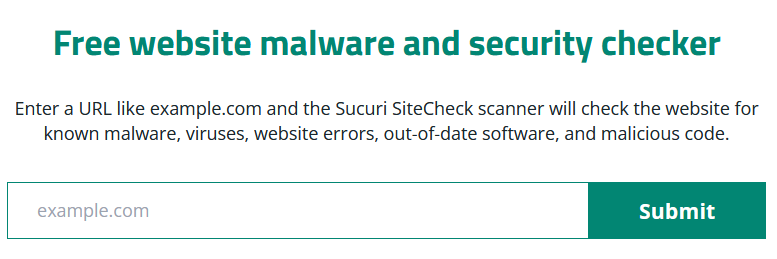
Free scanners do have their limitations, however, as they are only able to scan your website at the browser level. For a more thorough scan, consider scanning your server for malware as well, since attackers are known to conceal website backdoors, credit card skimmers, and phishing pages at the server level.
To scan your entire website and server for malware, sign up for the Sucuri Platform or a similar service that offers comprehensive malware scanning.
5. Update your software and harden your environment
Once you’ve addressed the malware infection and ensured that your website is free of malware, you’ll want to take additional measures to prevent it from happening again.
Follow these steps to harden your environment and prevent reinfection:
- Update all of your plugins, themes, and other website software with the latest security patches
- Use passkeys or 2FA on your admin panel and restrict access to sensitive website pages
- Use strong and unique passwords for all of your accounts
- Isolate websites to prevent lateral movement and cross-site contamination
- Use a website firewall to protect your site from hackers and vulnerability exploits
Handling a manual cleanup can be painstaking, as malware can present differently depending on various factors. But if you’re vigilant and systematic, you can get your website cleaned and back up running. But please, don’t forget to make that backup first!
Option 2: Remove website malware via a professional service provider
If you don’t want the hassle of removing website malware or simply need a hand cleaning up an infection, you can reach out to a reputable website malware removal service. This is a quick and effective way to tackle a malware infection head-on.
During this process, the website analyst will use FTP or SSH to access your website and clean up the malware infection from your files, database, and server. Not only will they help you address the issue, but they’ll also provide you with a detailed report of their findings to share with your hosting provider.
Here are the steps to clean up malware from your site:
- Choose a reputable website security provider. Sucuri offers effective malware cleanup bundled with a web application firewall to help protect your site and prevent reinfection.
- Obtain a list of infected files from your host. This should be provided to you as a .txt file and will include all files identified as suspicious by your hosting provider.
- Grant access to your website. You will need to provide access to the website security provider. Sucuri can help you with this process and provide steps for FTP, SSH, or cPanel access.
- Create a support ticket. Outline the issue and create a malware removal request to address the infection. The incident response team will create a secure backup of your website and perform baseline scanning.
- Wait for malware cleanup results. Malware cleanup could take several hours depending on your plan. Once your website is clean, Sucuri will submit review requests to remove blocklisting and rectify the issue with your host.
Going with a trusted service like Sucuri is more than a quick fix, it’s a step towards lasting peace of mind.
Once your site is clean, Sucuri applies comprehensive monitoring and website firewall to help shield your site from potential threats. Think of it as a one-stop security shop — it scans, cleans, and protects your site, keeping it safe now and into the future.
How to fix account suspensions due to server resource usage
On your hosting provider’s server, your website is likely one among hundreds (or even thousands) sharing the same resources — things like processing power, memory, and storage. To ensure fair distribution, web hosts cap these resources for each account.
If your website happens to exceed the limits for your plan, they might send warnings before suspending your account. If you’ve seen such alerts, it’s high time to take a close look at your hosting usage.
Pinpoint the reason for high server resource usage
To begin, ask yourself:
- What’s driving my site’s high resource consumption?
- Is it a sudden surge, or has it been gradually increasing?
- Do my analytics reflect this increased resource use?
- Is my hosting plan sufficient for the amount of traffic that my website receives?
Once you’ve established a baseline understanding of your resource usage, you’ll want to check for the source of the issue.
Check for website malware and aggressive bot traffic
When it comes to sudden spikes, check if you’re dealing with bot traffic or malware; both are known to gobble up resources. While some bots (like Google’s googlebot) behave themselves, bad bots (including unauthorized AI data scrapers and LLM training crawlers) can cause a ruckus, scraping data, attempting brute force attacks, and creating SEO spam.
Malware, too, can overwhelm your site and use up resources. Although most web hosts use basic malware scanners, they might miss some types of malware, causing an unexpected resource drain.
Furthermore, if you’ve recently suffered from a blackhat SEO spam infection, this may cause a large increase in pages crawled by Googlebot, usually returning thousands of 404 Not Found errors in your site analytics. This can oftentimes overwhelm a website’s resources so you may need to manually adjust the Googlebot crawl rate.
Troubleshoot your plugins and themes
You might also be dealing with resource-heavy plugins or themes. Diagnosing this can be challenging as most web hosts don’t provide intricate resource usage data. One way to determine the culprit is to deactivate plugins and themes one by one, but it’s a time-inefficient method that may require a developer’s help.
Switch hosting plans or providers
As a quick solution, you can move to another plan or hosting provider with more generous resources (providing you have backups), which will help to get your website back online swiftly.
Implement caching and a CDN
Implementing a cache for your website can help too. It reduces the number of server requests by storing your website locally or on a global network of proxy servers (CDNs) so that content can load without contacting your server every time. While caching is primarily a method to hasten website load times, it can considerably reduce server requests. The Sucuri firewall does a fantastic job of reducing load times and caching your site at the edge.
Finally, while you may be tempted to upgrade your plan, remember that more resources won’t necessarily solve the root issue of high usage. To tackle bots, for instance, you’ll need a firewall configured to block aggressive AI scrapers, not just more bandwidth.
Solving account suspensions due to payment failures
Your hosting provider typically charges a stored credit card automatically whenever it’s time for renewal. But for various reasons — such as lack of funds, expired cards, or fraud prevention — these transactions can sometimes fail.
In such cases, you’ll receive an email indicating that the transaction could not be completed and requesting updated payment information. For yearly subscriptions, you’ll also receive reminder emails well in advance of the due date.
One of the most common causes behind an account suspension is simply a lapsed payment. The solution is straightforward: simply make the payment to your host and your website will be restored and back online.
Fixing an account suspension due to policy violation
Let’s face it: it’s easy to click “I agree” without thoroughly reading through the policies. Most of us assume our activities are likely permitted under these policies. But assumptions can sometimes lead to unintentional policy violations. Now we’re left rummaging through those seldom-read documents.
In our experience, a significant number of policy violations occur because of the content on the website. It’s crucial to understand that hosting providers have comprehensive policies outlining what content types are permissible on your website.
Suspensions may happen due to copyright infringements, spam creation, unsolicited emails, unauthorized admin use, or storing illegal content on the server. Some hosts may also have policies regarding political content or the sale of certain pharmaceutical products.
While it can be frustrating, policy enforcement is a reality in the world of website hosting. A proactive approach involves understanding your hosting provider’s policies from the onset to mitigate potential issues down the line.
If you believe that your host has acted in error and you have not violated any policies or Terms of Use, you should reach out to them and provide a detailed response clearly outlining why you believe it was wrong to suspend your domain.
How to remove account suspension warnings
To remove an account suspended warning, you first need to rectify the problem that resulted in the suspension. Afterwards, directly contact your web host with a detailed request to assess the suspension cause again.
Take efforts to ensure your request is accurate and relevant, clearly representing the actions you’ve taken to resolve the problem. The more information you provide to your host, the better they will understand the context and be able to assist you.
You can also make additional efforts to strengthen your website security, such as updating your themes and plugins or installing a web application firewall or security plugin. Doing so demonstrates to your web host your commitment to maintaining a secure website.
Why does my web host care if I have website malware?
Your hosting provider has a vested interest in protecting your website visitors and hosting environment from threats like website malware. Malware creates a ripple effect, impacting everyone from you, the website admin, to your visitors, hosting company, and even search engines like Google.
A hacked website may trick people into revealing sensitive information like passwords or credit card numbers, or spread malicious downloads and ransomware infections.
There are substantial risks and potential losses for a web host with hacked websites:
- Infected websites often consume more resources due to reasons like bot traffic or brute force attacks. This can hinder the performance of other websites sharing the same server in shared hosting scenarios.
- There may be a security risk for other sites hosted on the same server, despite protective measures.
- The host’s IP addresses can get blacklisted as firewalls detect malware from their servers. This, coupled with your site potentially being used to infect others, only adds to the concerns.
- Cloud providers and data centers issue warnings for infected servers.
- Internet Service Providers (ISPs) impose harsh penalties for malware detected on their servers.
In essence, a web host’s reputation and revenue can be at stake when they host a malware-infected website. Therefore, hosts are motivated to take quick action against malware on hosted websites.
What is the impact of a hosting account suspension?
The repercussions of an account suspension can be substantial and varied, affecting different aspects of your online presence:
Downtime and user experience
Downtime is the most obvious and immediate impact of a suspension. Your website becomes inaccessible to all users, damaging their experience and potentially leaving a negative impression. This can particularly affect e-commerce websites where uninterrupted 24/7 access is critical for transactions.
Loss of revenue
With your online operations disrupted, you may suffer a direct loss of revenue, particularly if your website serves as an online store, a booking platform, or offers other paid services.
Reputation damage
When visitors encounter a “This account has been suspended” message, it can damage your brand’s reputation, causing loss of trust and confidence in your platform.
SEO and AEO rankings
Extended downtime can also affect your website’s search engine and generative engine rankings. Search engines aim to provide the best user experience, and a non-functioning website doesn’t meet that standard. Prolonged unavailability might even lead to de-indexing and dropping out of AI-generated summaries.
A suspended website account is a potentially severe issue that can bring about short and long-term consequences. Therefore, addressing any issues leading to potential suspension swiftly and efficiently is crucial to maintaining the health (and success) of your site.
FAQ
How long does it take for a web host to lift an account suspension?
The timeline varies depending on the host and the severity of the issue. If the suspension was due to an unpaid bill, access is usually restored automatically within a few minutes of payment. For malware or policy violations, it can take anywhere from a few hours to 48 hours after you submit a review request proving the issue has been resolved.
Will I lose my website data if my account is suspended?
Usually, no. A suspension is a temporary hold, not an immediate deletion. Your host will typically keep your files and database intact on their servers for a specific grace period. However, if you fail to resolve the issue within their specified timeframe, they may eventually terminate the account and delete the data. Always maintain off-site backups to be safe.
Can a suspended website still be found on Google?
In the short term, yes. Your URLs will likely still appear in search results. However, when users click them, they will hit an error or a suspended page. If the suspension lasts for more than a few days, Google’s crawlers will notice the site is persistently down and will begin to de-index your pages, resulting in a severe drop in SEO rankings.
What is the difference between a hosting suspension and a domain suspension?
A hosting suspension means the server where your website’s files live has been temporarily shut off by your web host (e.g., due to malware or unpaid hosting bills). A domain suspension occurs at the registrar level (e.g., due to an expired domain registration or failure to verify ICANN contact details). Both take your site offline, but they are resolved through different service providers.
The bottom line: overcoming account suspensions from your web host
Getting hit with a hosting account suspension is an alarming experience. While it puts your website on a temporary hiatus, it’s crucial to understand it’s not the end. There are various reasons for a suspension, including malware infections, excessive resource usage, unpaid hosting bills, or policy violations. Depending on the reason, the steps to get your site back up will vary.
We’ve covered the common causes, how to address each, and the preventative measures you can adopt to safeguard against potential suspensions. We’ve also discussed the potential repercussions of an account suspension, including downtime, loss of revenue, damage to reputation, and drops in SEO rankings.
And if your account suspension is due to malware, partnering with a trusted service like Sucuri can help you get ahead of such issues. Sucuri digs deeper than the obvious problem, providing comprehensive monitoring and website firewall solutions to fend off possible threats.
Ultimately, your hosting provider wants to keep its servers secure, and taking these steps can reinforce your site’s security, benefiting you, your host, and your site visitors.
Always remember: the key is swift action. Whether it’s making a lapsed payment, upgrading your hosting plan, or scanning your site for malware — acting promptly can get your site back online faster and keep it running smoothly.



 Luke Leal
 Sucuri
 Kaushal Bhavsar
 Ashley Sand
 AJ Syed Ali
 Sucuri Malware Research Team
 Samuel Odendaal
 Eli Lopez
 Cesar Anjos